Quick Summary
- B2B portal login friction is a primary driver of user drop-off, causing buyers to revert to manual channels like email for placing orders.
- Quantify this issue by auditing two key metrics in your web analytics: the login drop-off rate and the post-login cart abandonment rate.
- Connect analytics data to your ERP to calculate the direct financial impact of abandoned carts and the operational cost of processing orders diverted to email.
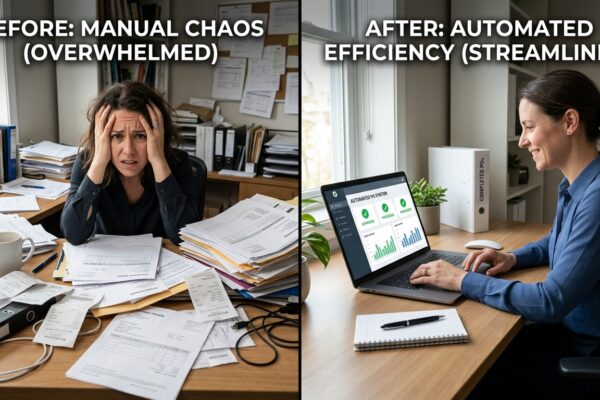
- Consider automating the channels your buyers prefer, such as email, to eliminate login friction and improve operational efficiency.
Why Your B2B Portal’s Bounce Rate Is a Symptom, Not the Problem
Many distributors see a high bounce rate on their B2B portal’s login page and assume it’s a technical issue. In reality, it’s a user behavior problem. Buyers arrive, can’t recall their password, and immediately leave to place their order via email instead.
While the sale isn’t lost, its efficiency is. This channel-switching forces your team into manual data entry, which introduces errors and delays order fulfillment. The root cause isn’t faulty software; it’s buyer resistance to the friction of managing another password.
To build a business case for a better solution, you must first measure the scale of the problem. A focused audit of your portal’s login and cart abandonment metrics will reveal the precise cost of this friction.
Step 1: Measure Your Login Drop-Off Rate
The first point of failure in your online ordering process is the login screen. The objective is to calculate how many potential online orders are abandoned before they even start because a buyer gives up at the authentication step.
Using your web analytics platform, isolate all user sessions that include a visit to your portal’s login URL. From that segment, determine the percentage of users who exit the site directly from that page without proceeding any further into the portal.
This percentage is your login drop-off rate. It represents the segment of buyers who intended to use the portal but were immediately deterred by the login requirement.
Step 2: Analyze B2B Cart Abandonment
Cart abandonment is a post-login metric. It tracks buyers who successfully sign in and add items to their cart but leave before completing the checkout process. The drivers for this in B2B are distinct from B2C commerce.
B2B buyers frequently abandon carts as part of their standard procurement workflow. They may need to get a purchase order approved, compare pricing with other suppliers, or use the cart as a draft to build a large order over several days.
Most e-commerce platforms provide native abandoned cart reporting. If yours does not, configure a custom event in your analytics tool to track “add to cart” actions and compare this count against completed orders to find your rate.
Step 3: Calculate the Financial and Operational Cost
With these two metrics, you can translate abstract user behavior into a concrete financial and operational cost. This is the foundation of a business case for process improvement.
To calculate potential revenue loss, multiply your total number of abandoned carts over a given period by your Average Order Value (AOV). This reveals the gross merchandise value being left unrealized in your portal.
To calculate operational inefficiency, analyze the customer accounts associated with login drop-offs. Cross-reference those accounts in your ERP to see if they placed an order via email or phone that same day. If they did, you captured the revenue but incurred the cost of manual order processing.
Solution: Automate the Preferred Channel Instead of Forcing Portal Adoption
Your audit will likely confirm that the login wall is a significant obstacle for repeat customers. Rather than forcing a behavioral change, a more effective strategy is to meet buyers on their preferred channel: email.
If your best customers consistently default to emailing purchase orders, automate the intake of those orders. This strategy removes the source of friction for the buyer and creates a more efficient, hands-free process for your sales operations team.
An AI-driven solution like Artin SmartAgent can process incoming emails and attachments, extract order data with high accuracy, and enter the sales order directly into your ERP. This provides a password-free experience for your customers and eliminates manual data entry for your team.
Frequently Asked Questions
What’s the difference between login drop-off and cart abandonment?
Login drop-off happens when a user visits your B2B portal’s login page but leaves without signing in. Cart abandonment occurs after a user has successfully logged in, added products to their cart, but exits before completing the purchase.
How can I determine if a failed login attempt led to a lost sale?
Identify the user account from the failed session in your analytics, then check your ERP or CRM. If that same account placed an order through another channel (like email or phone) within 24-48 hours, the sale was not lost, but efficiency was. If no order was placed, it may represent a delayed or lost sale.
Why is B2B cart abandonment so common?
B2B cart abandonment is often a feature of the procurement workflow, not a bug. Buyers use carts to build draft orders, wait for internal purchase order approval, or compare quotes from multiple suppliers before committing to a purchase.
If we automate email orders, do we still need a B2B portal?
Yes, a self-service portal remains a critical asset. It’s essential for new customer acquisition, product discovery, and providing access to order history and technical specifications. The goal is to offer multiple, highly efficient ordering channels to serve all customer segments and preferences.
Ready to Auto-Convert Your Traffic?
Stop bleeding leads. Deploy the Artin SmartAgent AI on your WhatsApp and Website in exactly 24 hours.
Get Started — 14-Day Free Trial