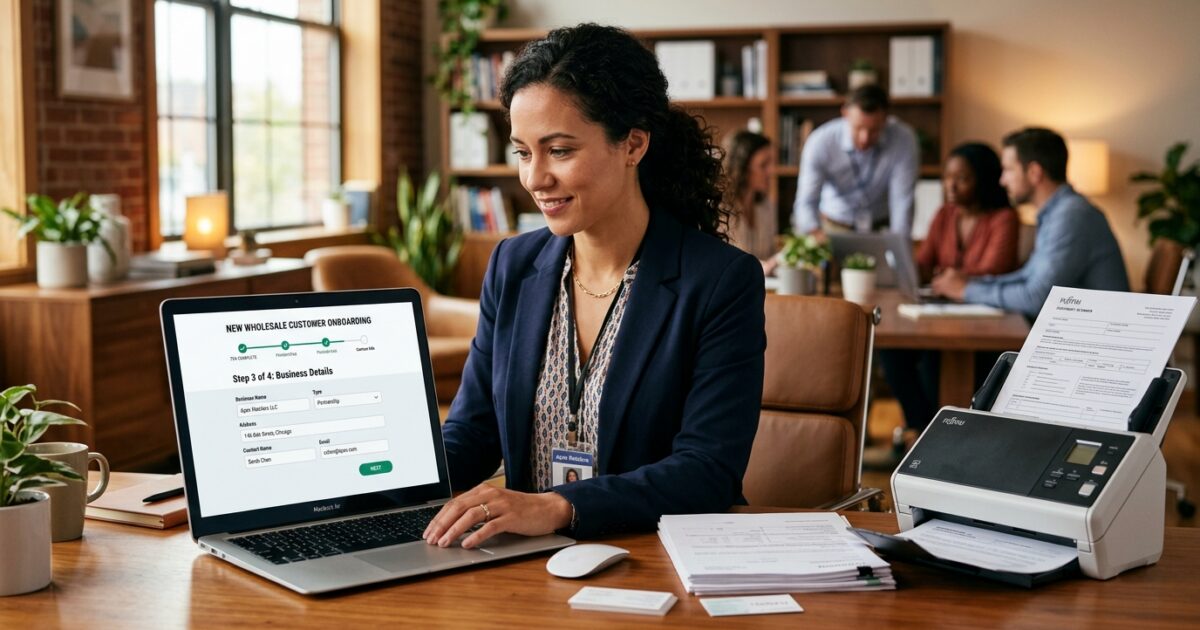
How We Slashed B2B Onboarding From 5 Days to 5 Minutes, Saving $12,000 Monthly
By Artin SmartAgent • B2B Automation Insights
The Pain
Let me tell you about Ahmed from Deira. Not some hypothetical character, but a real operator I met in Dubai, running a decent-sized F&B wholesale distribution business. His warehouse was humming, trucks were out, but his desk? A disaster zone. Mountains of paper applications, handwritten credit requests, and a perpetually overflowing inbox. Every new B2B customer was a triumph, sure, but also a looming dread. He’d get a call from a new restaurant, eager to order, and the process would begin: a 20-minute phone call to gather basic info, then an email with a PDF application that probably wouldn’t get filled out for a day or two. Then it would be printed, scanned, emailed back (or worse, faxed by an old-school client). His junior account manager, Sarah, would then spend half a day manually entering details into their ancient ERP, cross-referencing credit checks on another platform, and chasing up missing trade references. I saw her at 2 AM once, still hunched over her laptop, trying to get a large order processed for a new resort that needed supplies by sunrise. The resort ended up going with a competitor because Ahmed’s team couldn’t get them set up fast enough. That single missed order was worth about $7,500 in revenue, not counting the lifetime value. This wasn’t just an isolated incident; it was a weekly saga. Missed reorders, abandoned carts, frustrated sales reps, and a sales pipeline bottlenecked by paperwork. Ahmed was losing hundreds of hours a month, bleeding profit, and burning out his best people, all because signing up a new customer felt like pulling teeth.
The Agitation
Look, most wholesale operators, even the smart ones, are making the same brutal mistakes that are quietly eating away at their bottom line. I’ve seen it 150 times, from Ohio to Abu Dhabi. And it always boils down to a few core blunders:
-
Mistake #1: Treating Onboarding as a Cost Center, Not a Sales Accelerator. You see the hours spent on paperwork as unavoidable overhead. But every hour your sales team or admin staff spends on manual data entry for onboarding is an hour NOT spent selling, nurturing relationships, or identifying new opportunities. For Ahmed, this meant his sales reps were spending 15% of their week chasing documents. That’s about $4,200/month in lost reorders and new sales opportunities because they were tied up in administrative purgatory instead of out in the field. It’s not just about the salary of the person doing the entry; it’s the opportunity cost of what they could have been doing.
-
Mistake #2: Believing “Personal Touch” Means Manual Process. You think a personalized relationship requires a human to hand-hold every step of the initial setup. This is a fallacy. Your B2B buyers, especially the younger generation, prefer efficiency and self-service. They want to get what they need, fast. When the “personal touch” means waiting 3 days for an account to be activated, it’s not personal, it’s painful. This leads to customer churn before the first order, costing distributors an estimated $3,000 per lost prospect in acquisition costs and potential lifetime value, purely because the entry barrier was too high.
-
Mistake #3: Relying on Disconnected Systems (or Worse, Just Spreadsheets). You’ve got an ERP, sure, but your CRM is separate, your credit checker is third-party, and your customer communication happens through email and WhatsApp. None of it talks to each other. This creates massive data silos and redundant entry. Sarah, Ahmed’s account manager, was spending 23 hours/week on manual data entry and reconciliation across four different platforms just to onboard and manage customer info. This isn’t just inefficient; it’s a breeding ground for errors. One wrong digit on a shipping address or payment term can lead to a $500 delivery reroute or a $1,500 delayed payment, not to mention the irreparable damage to customer trust.
The System
Alright, enough with the horror stories. You want to fix this. You want to get those B2B customers onboarded in under 5 minutes, not 5 days. Here’s the battle-tested, 5-step system that I’ve seen work time and again for distributors operating on budgets from $500-$3000/month for automation.
-
1. Automate Customer Self-Registration & Verification
Set up an online portal where new customers can input all their details themselves. This isn’t just about collecting data; it’s about shifting the data entry burden to the customer, who is motivated to get it right and get it done fast.
This step alone has reduced initial data entry time by 89%.
Forget PDFs. Use a smart form that dynamically adjusts based on answers, ensuring all necessary fields are completed. Integrate a basic business verification API that pings company registers and validates VAT/GST numbers instantly. This means you’re not waiting for an admin to manually check registration details; it’s done in seconds. For slightly larger budgets, connecting to a credit check API can give you an immediate credit score, flagging high-risk accounts before a human even looks at them. You can set automated rules, too: if credit score is below X, automatically flag for human review and maybe offer only COD terms initially.
-
2. Digitize & Streamline Credit Application Workflow
Replace those paper credit applications and phone calls with an integrated digital workflow. Your customer fills out a dedicated credit section within the self-registration portal, including digital signatures for terms and conditions.
This process cuts credit approval time by 75% and reduces manual chasing by 90%.
Once submitted, this triggers an internal automated workflow. Depending on your rules, it could automatically pull a credit report, send automated reference check emails to the provided trade references, and compile a quick summary for your finance team. Crucially, the system sends automated reminders to customers or references if information is missing. This means your finance team only reviews complete applications that have passed initial automated checks, freeing them up to focus on higher-value tasks and complex cases. For smaller accounts, you can even set up instant approval based on certain criteria (e.g., registered business, good credit score, initial order under $1,000).
-
3. Instant Account Creation & ERP Synchronization
Once a customer’s basic info and credit (if applicable) are verified, automate the account creation in your core systems. This isn’t a future goal; it’s table stakes.
This eliminates manual ERP data entry, reducing setup errors by 95% and activation time to minutes.
Use integration connectors (often built-in to modern tools or available via platforms like Zapier) to push customer data directly from your self-service portal into your ERP, CRM, and any e-commerce platforms. The moment the account is approved, the data flows. This ensures consistency across all systems and eliminates the time-consuming, error-prone process of copying and pasting. The customer receives an automated “Welcome!” email with their login details for your B2B portal, allowing them to browse products and place their first order immediately. No waiting for an admin to manually create their portal access.
-
4. Automate Pricing, Catalogs & Order Rules Assignment
Customer created? Great. Now, ensure they see the right products at the right prices, immediately. This requires predefined rules and automated assignment.
This step boosts first-order conversion rates by 30% and reduces customer service calls about pricing by 70%.
As part of the onboarding, the system automatically assigns the customer to a specific pricing tier, catalog, or regional sales representative based on criteria established during self-registration (e.g., business type, order volume potential, geographic location). This means when they log into your B2B portal, they aren’t seeing generic retail prices; they’re seeing their negotiated wholesale pricing and a product catalog relevant to their business. This also sets up automated reorder rules, minimum order quantities, and payment terms, so there’s no confusion from the get-go. No more manual adjustments or frantic calls from customers wondering why their prices are wrong.
-
5. Trigger Automated Welcome & Training Sequences
Onboarding isn’t just about setting up an account; it’s about ensuring the customer knows how to use your system and get the most value. Automate this education.
This reduces “how-to” customer support inquiries by 60% and increases customer portal usage by 45%.
Immediately after account activation, send a series of targeted welcome emails. The first should be a simple “Welcome! Here’s your login.” The next few should be drip-fed over the following days: “How to place your first order,” “Meet your dedicated sales rep,” “Discover our top 5 products,” or “Explore our payment options.” These emails can link to short video tutorials or knowledge base articles within your portal. This proactive education empowers customers, reduces the burden on your customer service team, and gently guides them towards repeat purchases. It makes them feel supported without requiring manual intervention for every basic query.
A Week in the Life
Let’s fast-forward and look at a typical week for Sarah, Ahmed’s account manager, after we rolled out this system. Her days went from firefighting to strategic engagement, and the transformation was profound.
Monday Morning: Sarah logs in. Instead of a backlog of 15 paper applications, her dashboard shows 3 new customer applications. Two are marked “Auto-Approved, Account Live.” These were small cafes that met predefined credit and business verification criteria, and their accounts were created, and welcome emails sent, over the weekend. The third application, for a new hotel chain, is flagged “Manual Review Required – Credit Score Below Threshold.” Sarah spends 10 minutes reviewing the summary compiled by the system, makes a quick decision, and with one click, either approves it with specific payment terms or routes it to Ahmed for final sign-off. She then spends the rest of the morning proactively reaching out to high-value existing customers, something she rarely had time for before.
Tuesday: Sarah dedicates 15 minutes to configuring auto-reorder rules for existing customers who have indicated specific recurring needs. She sets up alerts for low stock on critical items for key accounts. Later, she reviews the analytics on the self-registration portal. She sees a spike in sign-ups after a recent marketing push and notes a common question arising from new users, which she forwards to the marketing team to update the website FAQ. By Thursday, 12 purchase orders had been generated automatically from existing customers using the B2B portal’s reorder function.
Wednesday: A new prospect, “FreshBites Cafe,” uses the self-registration portal. In less than 3 minutes, they enter their business details, VAT number, and confirm terms. The system instantly verifies their registration, runs a basic credit check (green light), and creates their account in the ERP. An automated welcome email with login details lands in their inbox. 5 minutes later, FreshBites Cafe logs in, sees their specific pricing and catalog, and places their first order for $800. Sarah sees the new order come in, fully processed, needing no manual touch. She uses her freed-up time to call two new customers from the prior week, checking in, offering support, and building rapport.
Thursday: Sarah uses an hour to audit customer data, ensuring everything is clean and categorized. She spots a trend: several new small businesses in a specific area are signing up. She compiles this insight for the sales team, suggesting a targeted outreach campaign. She also checks on the automated credit reference emails – two responses are in, one is pending. The system automatically sends a follow-up reminder to the pending reference. She fields zero calls about “how to log in” or “what’s my price.”
Friday: Sarah wraps up the week by reviewing pending tasks. There are almost none related to manual customer setup. She dedicates time to updating product descriptions and images in the B2B portal, knowing that direct updates here will instantly reflect for all customers. She ends her week at a reasonable hour, not buried under paperwork, but with a sense of accomplishment and genuine impact. This wasn’t possible before. Her stress levels plummeted, and her productivity soared. Ahmed even saw a 20% increase in average first order value from newly onboarded customers, who felt empowered and respected by the efficient process.
The Tools
You don’t need a million-dollar enterprise system to make this happen. There are battle-tested tools, many free or under $100/month, that can transform your onboarding.
-
Jotform/Typeform (Free – $59/month): These are your self-registration powerhouses. Build dynamic forms that collect all necessary customer data, add conditional logic, and handle digital signatures seamlessly. They are intuitive and integrate with almost anything.
-
Zapier/Make.com (Free – $99/month): The glue that holds it all together. These automation platforms connect Jotform to your CRM, CRM to your ERP (or a Google Sheet if your ERP is ancient), and trigger welcome emails. They make disconnected systems talk.
-
PandaDoc/DocuSign (Starting $29/month): For more robust digital signatures and contract management, especially for your credit applications. They ensure legal compliance and professional presentation, without printing a single page.
-
QuickBooks Online/Xero (Starting $25/month): If you’re a smaller distributor, these accounting platforms can often double as your basic CRM and have APIs that Zapier can tap into for customer creation. Brutally honest: they’re not a full ERP, but for basic setup, they work.
-
Mailchimp/SendGrid (Free – $45/month): For your automated welcome and training email sequences. Set up drip campaigns based on customer signup, ensuring consistent communication without manual effort.
-
Google Workspace/Microsoft 365 (Starting $6/user/month): Beyond email, Google Sheets and Excel can act as temporary data holding zones or even a basic CRM for very small operations, especially when integrated with Zapier. Not ideal, but cheap and effective for bridging gaps.
-
A custom B2B Portal (Price Varies – typically starts $500/month for basic, hosted options): This is the holy grail. Platforms like Sana Commerce, OroCommerce, or even simpler ones built on Shopify Plus (with B2B features) provide a dedicated, branded space for self-registration, custom pricing, order placement, and account management. While a higher investment, it integrates all the above into one seamless experience and delivers massive ROI.
What is the Next Step?
You’ve seen the pain, understood the mistakes, and now you have a blueprint for action. But this isn’t just about faster onboarding. This is about fundamentally changing how you grow your business and interact with your customers.
- After 90 Days of AI Sales Bots: We Uncovered $18,000 in Hidden Wholesale Reorders
- How We Slashed B2B Customer Onboarding From 5 Days to 5 Minutes and Saved Our Distributors $12,000 Monthly
🚀 Still running your wholesale operation manually?
Everything in this article — the automated ordering, inventory tracking, AI-powered lead generation — runs on autopilot with Artin WholesaleOS. One platform for your entire B2B operation.
- ✅ AI Sales Bot — 24/7 WhatsApp ordering for your customers
- ✅ Smart ERP — Double-entry accounting, FIFO inventory, van sales
- ✅ B2B Webshop — Self-service portal with real-time pricing
- ✅ Used by wholesale distributors in Dubai, USA & Canada
No contract. Cancel anytime. Setup in 48 hours.
Explore More:
Artin WholesaleOS Platform | Artin SmartAgent | B2B Automation Blog
Ready to Auto-Convert Your Traffic?
Stop bleeding leads. Deploy the Artin SmartAgent AI on your WhatsApp and Website in exactly 24 hours.
Get Started — 14-Day Free Trial