Quick Summary
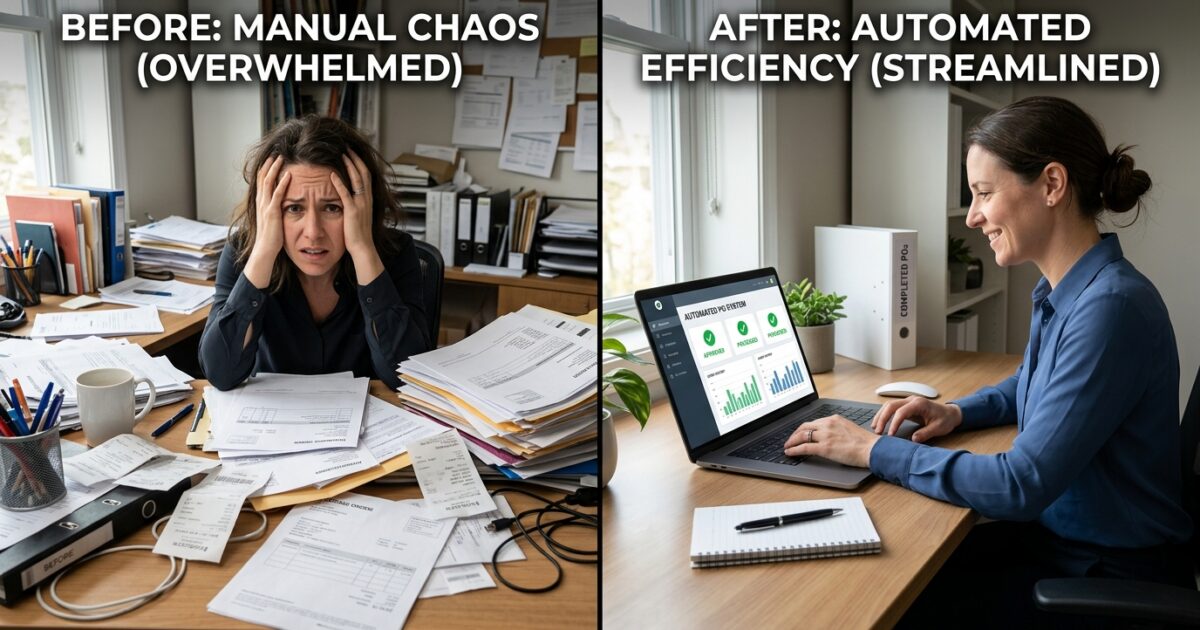
- Manual proforma invoice creation from text orders is a significant and often unmeasured drain on sales team productivity and profitability.
- Wholesale distributors can calculate the exact time and cost lost to this administrative task using a simple three-step measurement process.
- Automation can intercept text message orders and generate invoices instantly, integrating directly with inventory and accounting systems.
- This frees sales representatives from routine data entry, allowing them to focus on high-value activities like relationship-building and new business development.
The Hidden Cost of “Quick” Administrative Tasks
In many wholesale distribution businesses, a significant portion of the sales day is consumed by administrative work that masquerades as “quick.” A salesperson receives an order via text message, opens the accounting software, manually keys in the items, generates a proforma invoice, saves it, and sends it back to the customer.
Individually, each transaction takes only a few minutes. This perception of speed is misleading. When multiplied across an entire sales team handling dozens of orders daily, this routine task becomes a major operational bottleneck and a source of hidden costs.
This cumulative time loss directly impacts your bottom line by pulling your most valuable resources—your salespeople—away from revenue-generating activities. The time spent on data entry is time not spent prospecting, following up on leads, or strengthening client relationships.
How to Calculate Your True Invoicing Labor Cost
To address this operational leak, you must first quantify it. A precise understanding of the time lost provides a clear business case for investing in automation. Follow this straightforward process to measure the impact on your organization.
Step 1: Establish a Baseline
Choose a typical business day, like a Tuesday or Wednesday, to avoid skewed weekend or Monday morning numbers. Ask a single salesperson to keep a simple tally of every proforma invoice they create from text or email orders throughout the day.
Step 2: Measure the Time Per Invoice
Using a stopwatch, time the salesperson completing the entire process once at their normal pace. Start the timer the moment they read the incoming order message and stop it only when the finalized proforma invoice PDF is sent to the customer.
Step 3: Calculate the Total Impact
Multiply the average time per invoice by the daily tally to find the total time lost for one representative. Then, multiply that figure by the number of sales reps performing the same task. The result is your company’s daily productivity loss from a single administrative process.
For example, if an invoice takes four minutes to process and each of your five reps handles twenty per day, your team loses 400 minutes—nearly seven hours—of potential sales time every single day just to manual data entry.
The Path to Automation Without Disrupting Customer Workflow
A common barrier to adopting new technology is the fear of disrupting established customer behaviors. Your customers send orders via text message because it is fast, familiar, and convenient for them. The goal of automation is not to force them into a clunky online portal they will refuse to use.
Effective automation preserves the customer’s preferred communication channel while streamlining your internal fulfillment process. The solution lies in connecting their simple text message directly to your backend systems, eliminating the need for human data entry.
By automating the translation of an informal text into a structured order, you make the process easier for your team without making it more difficult for your customers. This approach meets both parties where they are, ensuring high adoption and immediate efficiency gains.
How Automated Invoice Generation Works
Implementing an order-taking bot creates a seamless bridge between customer communications and your operational software, such as your ERP or accounting system. The process is designed to be instantaneous and require human intervention only for exceptions.
Order Reception and Processing
When a customer texts an order, the automation platform intercepts and parses the message. Using natural language processing, it identifies the customer based on their phone number and understands the products and quantities being requested.
System Integration and Validation
The system instantly queries your inventory management software to confirm stock levels. It cross-references the customer’s account to apply any specific pricing or terms. This real-time check prevents the creation of invoices for out-of-stock items.
Instant Proforma Generation
Once the order details are validated, the platform automatically generates a formal proforma invoice within your accounting system. It then sends a reply text to the customer containing a link to the invoice for their review and approval. The sales representative is not involved in any part of this standard workflow.
The representative is only alerted if an item is out of stock, if the customer’s message is unclear, or if they ask a question that requires human expertise. Solutions like Artin SmartAgent are purpose-built to provide this intelligent automation, transforming your sales team from data entry clerks back into strategic sellers.
Frequently Asked Questions
What kind of businesses benefit most from this type of automation?
Wholesale distributors that process a high volume of repeat orders for standard, consumable goods see the greatest benefit. This includes industries like food and beverage, industrial supplies, and medical distribution where customers frequently re-order the same items via informal channels like text or email.
Does this system force my customers to change how they order?
No. A key advantage of this approach is that it maintains the customer’s existing workflow. They can continue to send orders via text message as they always have. The automation works entirely on the backend to process their request without requiring them to log into a portal or use a new app.
How does the automation handle out-of-stock items or complex orders?
The system is designed for exception handling. If an item is out of stock or an order request is ambiguous, the platform immediately flags it and notifies the responsible sales representative. This ensures that a human expert handles non-standard situations while routine orders are processed automatically.
What is the typical implementation process for a solution like Artin SmartAgent?
Implementation typically involves connecting the Artin SmartAgent platform to your existing communication channels (like a dedicated phone number for texts) and integrating with your inventory and accounting software via APIs. The setup process is focused on mapping customer data and product catalogs to ensure accurate order processing from day one.
Ready to Auto-Convert Your Traffic?
Stop bleeding leads. Deploy the Artin SmartAgent AI on your WhatsApp and Website in exactly 24 hours.
Get Started — 14-Day Free Trial