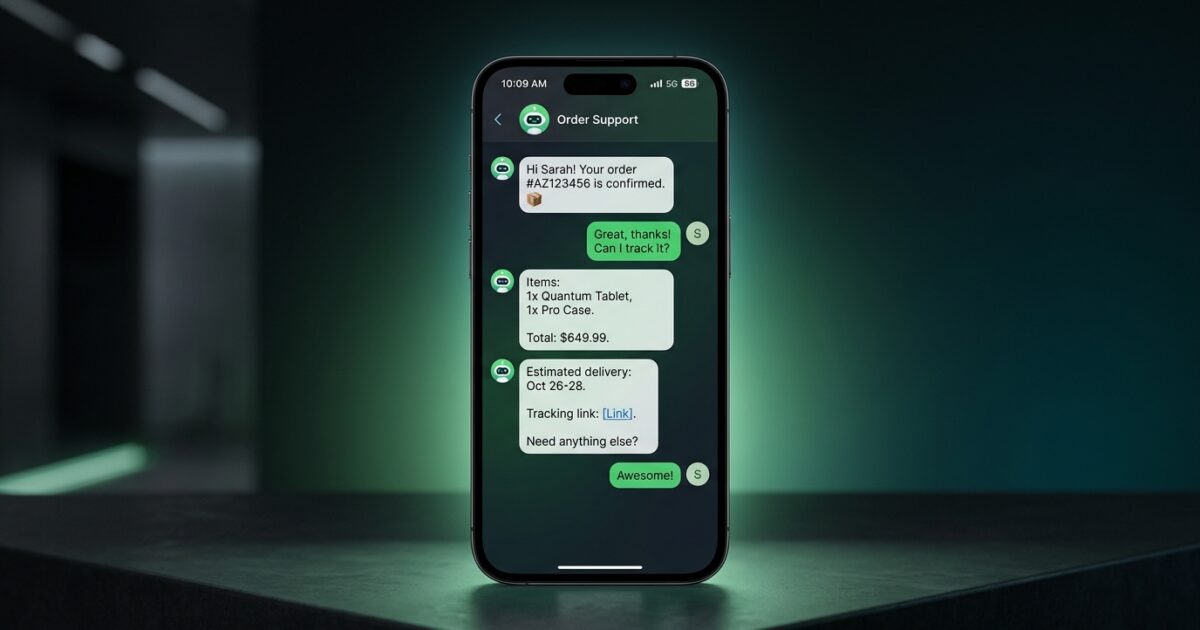
Quick Summary
- WhatsApp AI chatbots automate critical business functions like sales, customer support, and lead qualification directly within the world’s most popular messaging app.
- Implementation requires access to the WhatsApp Business API, connection to a conversational AI platform, and training the AI on your specific company data and processes.
- When evaluating platforms, prioritize advanced features like multi-language support, voice note processing, and seamless handoff capabilities to live agents.
- A well-executed chatbot delivers measurable ROI by increasing sales conversions, reducing operational costs, and freeing up human teams for high-value tasks.
Understanding the Modern WhatsApp AI Chatbot
A WhatsApp AI chatbot is not a simple auto-responder. It is a sophisticated tool that integrates advanced artificial intelligence with your WhatsApp Business account, enabling it to understand and respond to natural, conversational language.
Unlike older, rule-based bots that rely on rigid menus (“Press 1 for Sales”), an AI-powered chatbot comprehends intent, context, and nuance. It can parse complex, multi-part questions, access company data in real-time, and provide accurate, helpful answers instantly.
This technology acts as a direct extension of your business operations, handling entire workflows within the familiar WhatsApp interface. For a broader look at how this technology is applied across industries, explore these AI chatbot for business use cases.
Core Business Applications for WhatsApp AI
Integrating an AI chatbot into your WhatsApp channel unlocks significant operational efficiencies and creates new revenue opportunities. The applications extend across the entire customer lifecycle, from initial inquiry to post-sale support.
Automated Sales and Order Processing
Turn your WhatsApp into an always-on sales channel. An AI assistant can guide customers through your product catalog, answer specific questions about inventory or features, and process orders directly in the chat, complete with payment links.
24/7 Intelligent Customer Support
Modern customers expect immediate resolutions at any hour. A chatbot can instantly handle the majority of common support queries, such as order tracking, return policies, or basic troubleshooting, dramatically reducing wait times.
This frees your human support agents to focus their expertise on the most complex and sensitive customer issues that require a personal touch.
Effective Lead Qualification
Not every inquiry is from a sales-ready prospect. The chatbot can act as a frontline sales development representative, asking qualifying questions about budget, timeline, and specific needs in a natural, conversational manner.
When a human sales representative engages, they receive a fully qualified lead with all the necessary context, streamlining the sales cycle and increasing conversion rates.
Streamlined Appointment Scheduling
For service-based businesses, a chatbot can eliminate the tedious back-and-forth of appointment booking. By integrating with your calendar system, it can check availability, offer open slots, collect client details, and send confirmations automatically.
A Framework for Successful Implementation
Deploying a WhatsApp AI chatbot is a structured process that has become accessible to businesses of all sizes through modern platforms. Following a clear framework ensures your bot is effective, reliable, and aligned with your business goals.
Step 1: Secure WhatsApp Business API Access
The standard WhatsApp Business app is insufficient for AI automation. You must gain access to the WhatsApp Business API, which is typically done through an official Business Solution Provider (BSP) who facilitates the verification process with Meta.
Step 2: Choose a Conversational AI Platform
The AI platform is the “brain” of your chatbot. This is where you connect your API-enabled number, define the bot’s behavior, and train it on your business logic. The platform determines the AI models used and the bot’s overall capabilities.
Step 3: Train the AI on Your Business Data
An AI is only as effective as the data it is trained on. You must provide it with your product catalogs, internal knowledge bases, pricing information, and brand guidelines to ensure it gives accurate and on-brand responses.
Advanced systems can ingest this information directly from your website, documents, or product feeds, minimizing manual setup.
Step 4: Integrate With Your Core Business Systems
To maximize value, your chatbot must be able to perform actions. Integrate it with your key software stack—such as your CRM, e-commerce platform, or scheduling software—to enable real-time inventory checks, lead creation, and appointment booking.
Step 5: Test Rigorously Before Launch
Before public deployment, conduct thorough internal testing. Simulate real customer interactions, ask ambiguous questions, and test edge cases to ensure the bot performs reliably and handles errors gracefully.
For a detailed breakdown tailored to smaller teams, review our chatbot for small business guide.
Evaluating WhatsApp AI Platforms: Key Differentiators
Not all chatbot solutions are created equal. As you evaluate potential platforms, look for specific features that enable a truly seamless and intelligent customer experience, setting your business apart from the competition.
Native Multi-Language Support
Your customer base is global. A superior platform should automatically detect the user’s language from their initial message and continue the conversation fluently in that language without requiring manual configuration.
Voice Note Recognition
Many users prefer sending voice notes over typing. Your chatbot must be able to transcribe, understand, and respond to audio messages as easily as it does text to provide a frictionless experience.
Advanced Image Recognition
Visual context is powerful. A customer should be able to send a photo of a product or an error message, and the AI should use image recognition to understand the query and provide a relevant solution.
Seamless Human Handoff
AI should augment, not replace, your human team. The platform must provide a smooth, invisible transition from bot to live agent when a query is too complex or sensitive. The agent should receive the full chat history instantly, so the customer never has to repeat themselves.
Solutions like Artin SmartAgent are designed to master this seamless handoff, ensuring a consistent and high-quality customer experience.
Deploying Your AI Chatbot for Measurable ROI
Implementing a WhatsApp AI chatbot is a strategic investment in customer experience and operational efficiency. By meeting customers on their preferred channel with instant, intelligent service, you build loyalty and drive growth.
Modern platforms have made this technology accessible, removing the need for extensive development resources. You can deploy a powerful assistant capable of handling complex conversations and integrating deeply with your business operations.
To see how an intelligent, always-on assistant can transform your WhatsApp channel into a primary driver of business results, explore WholesaleSmart.
Frequently Asked Questions
What is the difference between the standard WhatsApp Business app and the API?
The standard WhatsApp Business app is designed for small businesses to manage conversations manually on a single device. The WhatsApp Business API is a programmatic interface for larger businesses to integrate WhatsApp with automation tools, AI chatbots, and CRM systems for scalable, high-volume communication.
How much does a WhatsApp AI chatbot cost?
Costs vary depending on three main factors: the subscription fee for the conversational AI platform, WhatsApp’s per-conversation pricing, and the complexity of your integrations. Most platforms offer tiered plans based on features and message volume to suit different business needs.
Can the AI chatbot handle multiple languages?
Yes, advanced conversational AI platforms can automatically detect the language a user is writing in and respond fluently in that same language. This happens natively within the AI model, without requiring you to manually build and translate separate conversation flows for each language.
What happens if the chatbot doesn’t know the answer to a question?
A well-designed system includes a seamless human handoff protocol. When the chatbot recognizes it cannot resolve a query, it can smoothly transfer the conversation to a live human agent. The best platforms provide the agent with the full chat history, ensuring the customer receives help without having to repeat themselves.
Ready to Auto-Convert Your Traffic?
Stop bleeding leads. Deploy the Artin SmartAgent AI on your WhatsApp and Website in exactly 24 hours.
Get Started — 14-Day Free Trial