Quick Summary
- A business website fails quietly when its messaging is unclear, causing potential customers to leave within seconds of arriving.
- Poor mobile performance and slow-loading pages create a negative user experience, directly impacting lead generation and credibility.
- Neglecting operational details, like slow responses to contact forms and a lack of verifiable proof, undermines trust and results in lost opportunities.
- Effective websites require ongoing maintenance and should be treated as dynamic business assets, not as one-time projects.
A company’s website rarely fails spectacularly. Instead, it fails quietly, one visitor at a time. The problem persists because the business never meets the potential customers who encountered a minor issue, became confused, and simply left.
These silent failures are often caused by a handful of common, fixable mistakes. Addressing them requires an honest assessment of what your website is actually communicating to a new visitor, not what you intended it to.

1. Vague Homepage Messaging
The most frequent error is a homepage that fails to state what the business actually does. Visitors are met with abstract terms like “excellence,” “innovation,” and “tailored solutions”—phrases that could describe an accounting firm, a logistics provider, or a bakery.
Prospective customers decide in seconds if a page is relevant. Vague language offers nothing concrete to hold their attention. If your headline could be pasted onto a competitor’s site without anyone noticing, it is not functional; it is merely decoration.
Write the plain version first. State what you do, who you do it for, and what the next step is. For example, “We build and maintain websites for wholesalers in Dubai” is instantly understood. Clarity is the primary job of a homepage; personality can be layered on after the core message is secure.
2. Poor Mobile Performance
Business owners typically review their website on a large monitor with a fast office internet connection. Their customers, however, often access it on a smartphone using mobile data while multitasking. These are vastly different experiences, and only one of them generates revenue.
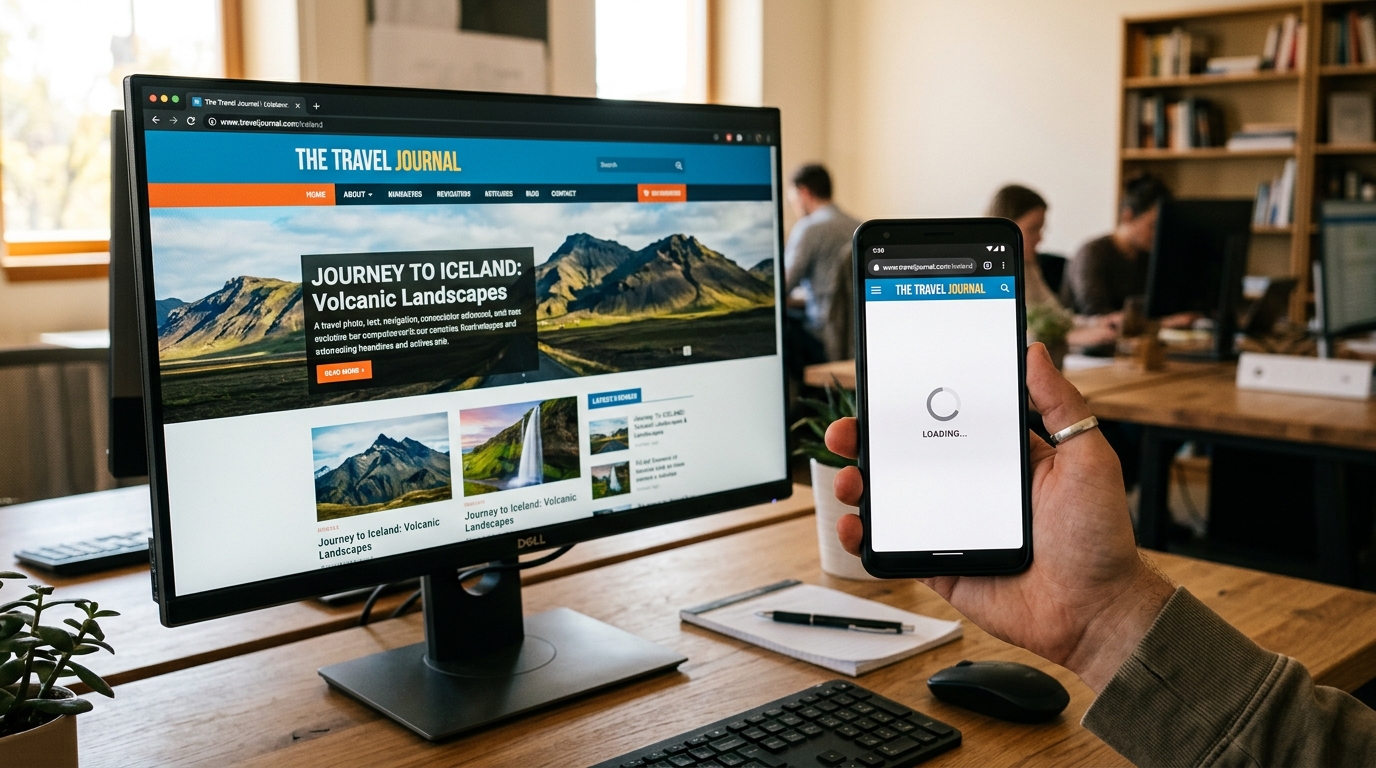
Google’s Core Web Vitals provide clear performance thresholds. Key content should appear within 2.5 seconds, the site should respond to a tap in under 200 milliseconds, and the layout must remain stable as it loads. You can test any page for free using PageSpeed Insights.
Most underperforming sites suffer from common issues: uncompressed hero images, unnecessary sliders, multiple tracking scripts, and redundant font files. Optimizing these technical elements often delivers a greater return than a complete redesign.
3. Unresponsive Inquiry Forms
A contact form may function technically, but the lead it generates often sits in a shared inbox for days. The delay occurs because team members assume someone else is responsible for responding.
A prospect who completes a form is ready to engage. If they wait over a weekend for a reply, they will have already spoken to two of your competitors by Monday morning. The opportunity is lost before the sales process even begins.

Response speed is a crucial design element. At a minimum, set up an automated acknowledgment that specifies when a human will follow up. Internally, assign clear ownership of the inbox to a named individual. Automation tools, like our Artin SmartAgent products, can ensure consistent replies and follow-ups without increasing headcount, but they cannot fix an unclear core offer.
4. Company-Centric Content
Many business websites focus on company history, corporate values, and years of experience. While these details have their place, they are not what a visitor with an urgent problem is looking for. They have a need, a budget, and a deadline.
The content that converts is content that describes the customer’s situation accurately and then outlines the process of working with you, from the initial call to the final invoice. It answers their questions before they have to ask.
Perform a quick test: count the instances of “we” versus “you” on your main service pages. If “we” appears significantly more often, the page is functioning as a corporate brochure rather than a solution for a customer’s problem.
5. Lack of Verifiable Proof
Every company claims to be reliable, professional, and trusted. These claims are inexpensive to make and, as a result, carry little weight. A skeptical visitor is searching for verifiable evidence to support them.
Tangible proof includes real project photos, named client logos, direct quotes from individuals with their job titles, or specific, quantifiable results. These elements build trust in a way that generic assertions cannot.
If you lack testimonials, be specific and truthful about your capabilities and process. Clarity about your size and how you operate builds more trust than a stock photo of a team you don’t have. If you have satisfied clients, ask them for a short quote today—and make it easy by drafting a few sentences for them to approve.
6. Prioritizing Traffic Over Conversion
Businesses often inquire about SEO and advertising before analyzing their existing website traffic. If 100 monthly visitors result in zero inquiries, acquiring 400 more visitors will likely result in four times zero.
Conversion rate optimization should almost always precede traffic generation campaigns. The exception is a new site with negligible traffic. Even then, fixing foundational issues is more cost-effective than paid acquisition.
This sequence is more critical now than ever. Search engines increasingly provide answers directly on the results page, reducing casual clicks. The visitors who do click through are more qualified and have higher intent. A site that fails to convert this high-intent traffic is doubly penalized.
7. The “Set It and Forget It” Mindset
Once a website goes live, it is often neglected for months or even years. During that time, services change, prices become outdated, team members leave, and software plugins can break critical functions like the contact form.
A website is a business asset, not a static poster. It requires regular maintenance. For most small businesses, a 30-minute review each month is sufficient to catch major issues.
During this check-in, browse the site on a phone as a customer would. Submit your own contact form to test the process. Verify that your main service pages are accurate. This simple routine prevents small problems from becoming costly ones.
Your Immediate Action Plan
To start, perform the five-second test. Open your homepage on your phone, view it for five seconds, then close it. Ask yourself if a stranger could accurately describe what you sell and for whom. If the answer is no, clarifying your opening statement is your first priority.

Next, submit an inquiry through your own contact form and measure the time it takes to receive a personal response. Finally, run your homepage and primary service page through Google’s PageSpeed Insights and address the largest image files it identifies.
These three actions require attention, not budget, yet they often yield more significant improvements than a cosmetic redesign. While a great website cannot fix a weak business offer, it can stop you from losing the qualified prospects who are already looking for your solution.
Frequently Asked Questions
What is the most common mistake on a small business website?
The most common mistake is a vague homepage that doesn’t clearly state what the company does, who its customers are, and what problem it solves. Visitors leave within seconds if they can’t determine the site’s relevance to their needs.
How can I test my website’s mobile speed for free?
You can use Google’s PageSpeed Insights tool. Simply enter your website’s URL, and it will provide a detailed performance report for both mobile and desktop, highlighting specific areas for improvement like large images or slow server response times.
Why is a fast response to contact form submissions so important?
A prospect who fills out a form has high intent and is actively seeking a solution. Delays in responding allow competitors to engage with that lead first. A slow response signals poor customer service and can result in a lost sale before the conversation even begins.
How often should I review and update my business website?
For most small businesses, a quick 30-minute review once a month is sufficient. This includes checking for broken links, testing forms, ensuring all information (like services and pricing) is current, and reviewing analytics to understand visitor behavior.
Ready to Auto-Convert Your Traffic?
Stop bleeding leads. Deploy the Artin SmartAgent AI on your WhatsApp and Website in exactly 24 hours.
Get Started — 14-Day Free Trial